Free Actual MS-102 Actual Exam Questions – Microsoft 365 Administrator - Question 2 Discussion
HOTSPOT You have a Microsoft 365 E5 subscription and an Azure AD tenant named contoso.com. All users have computers that run Windows 11, are joined to contoso.com, and are protected by using BitLocker Drive Encryption (BitLocker). You plan to create a user named Admin1 that will perform following tasks: • View BitLocker recovery keys. • Configure the usage location for the users in contoso.com. You need to assign roles to Admin1 to meet the requirements. The solution must use the principle of least privilege. Which two roles should you assign? To answer, select the appropriate roles in the answer area. NOTE: Each correct selection is worth one point 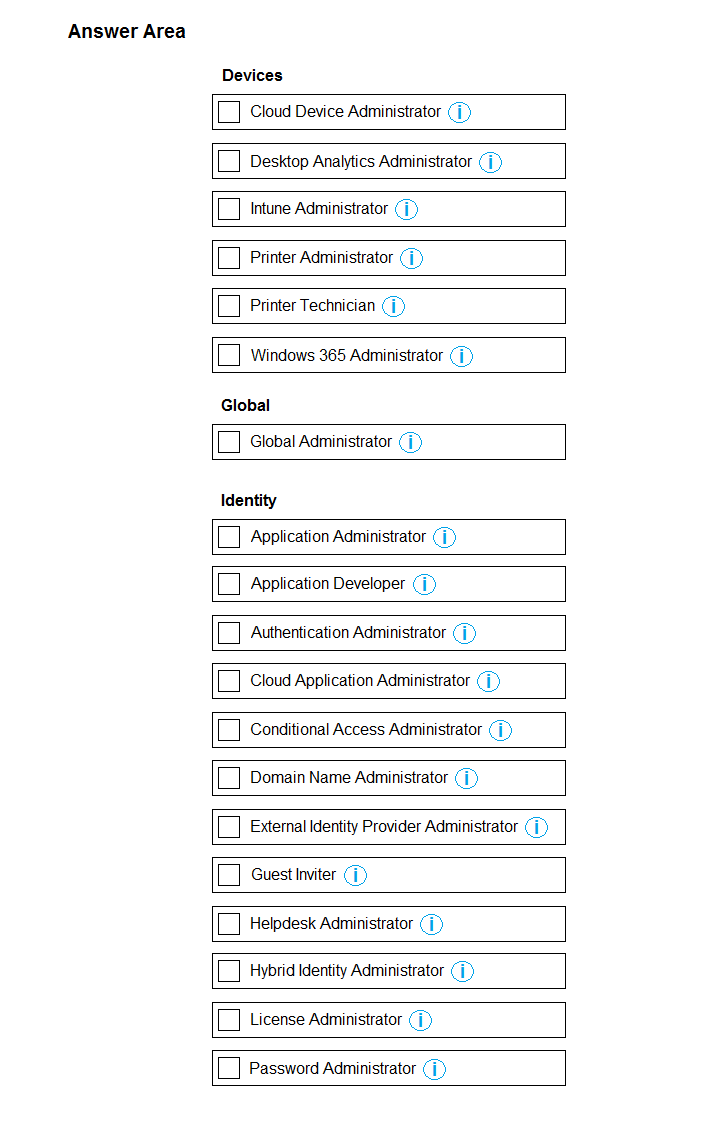
BitLocker Recovery Administrator makes sense for recovery keys. For usage location, User Administrator fits best since it manages user attributes without full admin privileges, aligning with least privilege principle.
Agree with BitLocker Recovery Administrator for keys, but I’d pick User Administrator for usage location since it’s the role that specifically manages user properties without extra rights. Keeps it tight on permissions.
BitLocker Recovery Administrator is definitely the right call for accessing recovery keys since it’s designed for that exact purpose. For setting the usage location, I’d go with User Administrator because it allows managing user properties without unnecessary permissions. Global Administrator or Intune roles seem like overkill here. Sticking to these two roles fits the least privilege principle best and covers both requirements directly.
BitLocker Recovery Admin covers keys; Intune Role might be overkill for location settings.
I chose BitLocker Recovery Administrator for the keys since that’s very specific, and User Administrator for usage location because it deals with user properties without giving full admin rights. Seems like the least privilege combo.
BitLocker Recovery Admin for keys and User Administrator for usage location.
I think assigning BitLocker Recovery Administrator makes the most sense for viewing recovery keys since that role specifically covers recovery information without broader rights. For configuring usage location, User Administrator fits well because it handles user properties but doesn't grant full privileged access. This combo seems to respect least privilege better than Security Administrator, which is pretty broad. So, I'd go with BitLocker Recovery Administrator and User Administrator, focusing on their targeted permissions instead of general admin roles.
This question seems a bit vague to me, especially with the recovery key part. I picked Security Administrator for viewing keys and User Administrator for setting usage location, but not 100% sure.