Free Microsoft Azure AZ-104 Actual Exam Questions - Question 8 Discussion
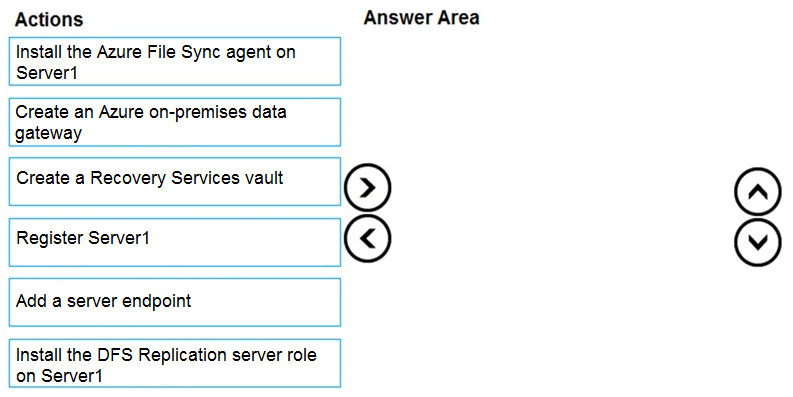
DRAG DROP - You have an on-premises file server named Server1 that runs Windows Server 2016. You have an Azure subscription that contains an Azure file share. You deploy an Azure File Sync Storage Sync Service, and you create a sync group. You need to synchronize files from Server1 to Azure. Which three actions should you perform in sequence? To answer, move the appropriate actions from the list of actions to the answer area and arrange them in the correct order. Select and Place:
I’d say you should start by creating the Storage Sync Service because that’s the main resource managing sync. Next, install the Azure File Sync agent on Server1 so the server can communicate with Azure. Finally, register Server1 with the Storage Sync Service to link it up and begin syncing files. This order makes sense since you need the service in place before the server can register and sync properly.
I’m thinking you need to create the Storage Sync Service first. Without that, you can’t register the server or create the sync group. So after creating the Storage Sync Service, you register Server1 with it, then create the sync group that includes your Azure file share. Installing the Azure File Sync agent on Server1 happens early too, but registering is tied to having the service set up. This order makes sure everything’s linked properly before syncing starts.
I also think the first thing is to install the Azure File Sync agent on Server1 since it enables the server to connect to Azure. Then, you register the server with the Storage Sync Service so that Server1 can be managed and monitored. The last step is creating or linking the server endpoint in the sync group to start syncing files with the Azure file share. Without that endpoint, the sync group doesn’t know where to pull or push data from. So install agent, register server, then configure server endpoint inside the sync group.
I figured the first step has to be installing the Azure File Sync agent on Server1; without it, Server1 can’t even join the sync service. Then you register Server1 with the Storage Sync Service so it’s linked. Finally, you create and configure the sync group to connect Server1 and the Azure file share. This order feels right since you need the server ready before it can be part of the sync group.
I think the key steps are first creating the Azure file share, then setting up the Storage Sync Service and sync group, and finally registering Server1 with the Storage Sync Service. Without the Azure file share ready, there’s nowhere to sync data. Also, Server1 needs to be registered after the sync infrastructure is in place so it knows what to connect to. So the order could be something like: create Azure file share, create Storage Sync Service and sync group, then register Server1. This lines up with how Azure expects these components to be ready before syncing can start.
Haven’t seen this exact step order before, but starting with Storage Sync Service usually makes sense here.