Free Microsoft Azure AZ-104 Actual Exam Questions - Question 14 Discussion
DRAG DROP - You have an Azure subscription that contains an Azure file share. You have an on-premises server named Server1 that runs Windows Server 2016. You plan to set up Azure File Sync between Server1 and the Azure file share. You need to prepare the subscription for the planned Azure File Sync. Which two actions should you perform in the Azure subscription? To answer, drag the appropriate actions to the correct targets. Each action may be used once, more than once, or not at all. You may need to drag the split bar between panes or scroll to view content. Select and Place: 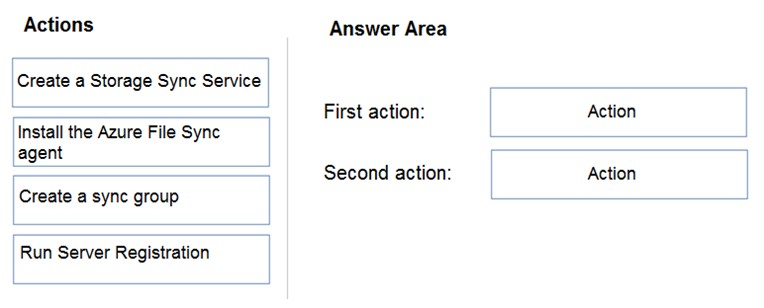
Creating the Storage Sync Service is definitely a must for subscription prep.
I think the key here is focusing on what “preparing the subscription” really means. Creating the Storage Sync Service is definitely needed because it acts as the backbone for syncing. Registering Server1 with that service also makes sense since you need to link the on-prem server. Creating a sync group feels like the next logical step, but maybe that’s more about configuring sync rather than preparing the subscription itself. So, I’d say the two main actions to prepare are creating the Storage Sync Service and registering Server1. The sync group probably comes after you’ve set those up.
Besides setting up the Storage Sync Service, another key step is registering Server1 with that service. This lets the service recognize and manage Server1 for syncing. Without that registration, the sync relationship can’t be established, even if you have the share and sync group ready. So, the two main things in the subscription are creating the Storage Sync Service and registering Server1 to it. This is what makes Azure File Sync work between your server and file share.
Creating the Storage Sync Service is a must to manage sync relationships. Also, registering Server1 connects it to the service, so syncing can actually happen. These two are key before anything else.
You’ll need to create a Storage Sync Service and then register the server with that service. These are the basic setup steps before you can sync the on-prem server with the Azure file share.