Free CompTIA Network+ N10-009 Actual Exam Questions - Question 4 Discussion
Question No. 4
SIMULATION
A network technician needs to resolve some issues with a customer's SOHO network. The
customer reports that some of the PCs are not connecting to the network, while others
appear to be working as intended.
INSTRUCTIONS
Troubleshoot all the network components.
Review the cable test results first, then diagnose by clicking on the appropriate PC,
server, and Layer 2 switch.
Identify any components with a problem and recommend a solution to correct each
problem.
If at any time you would like to bring back
the initial state of the simulation, please
click the Reset All button.
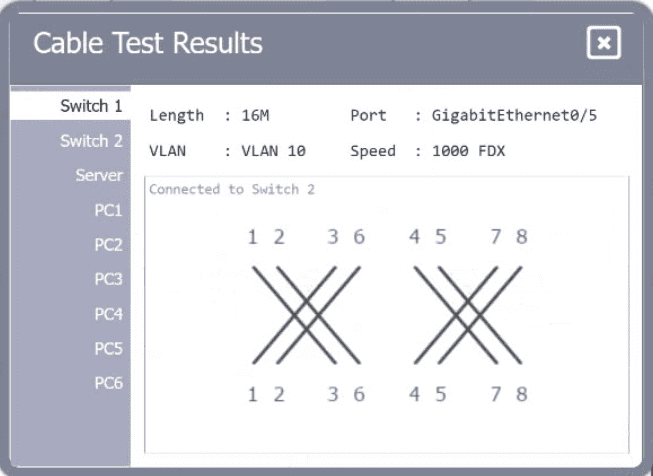
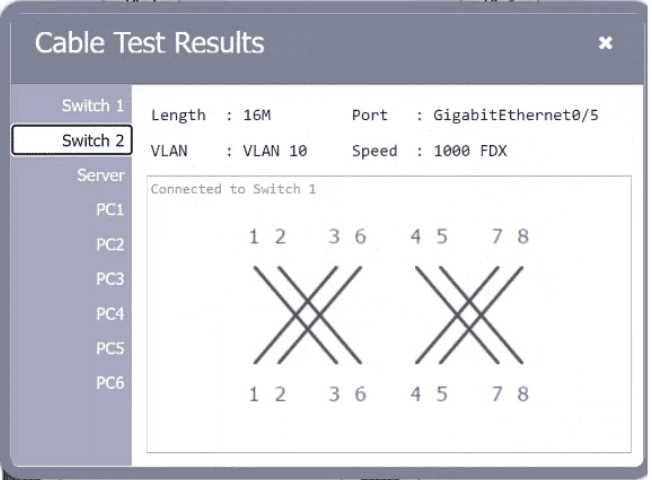
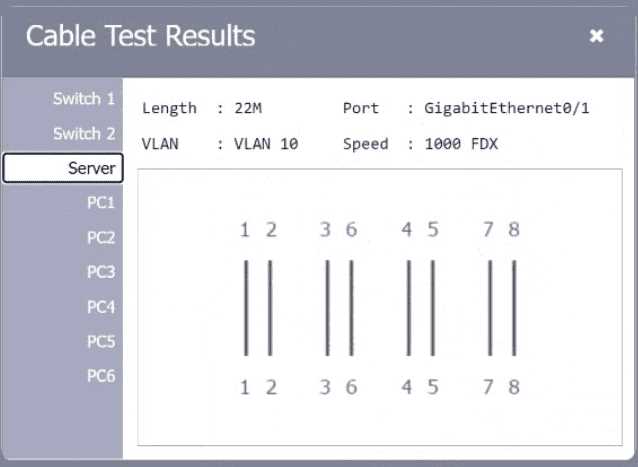
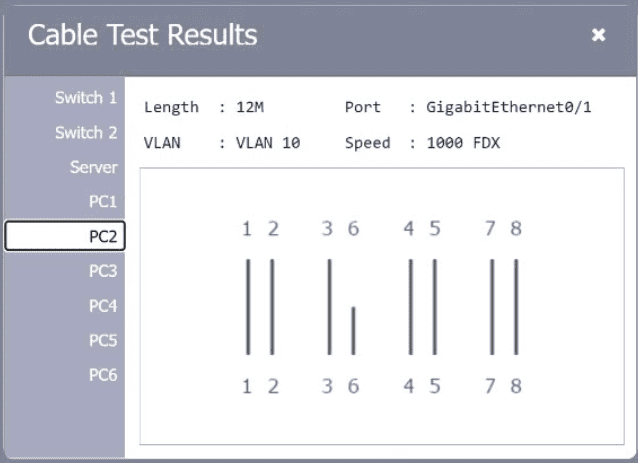
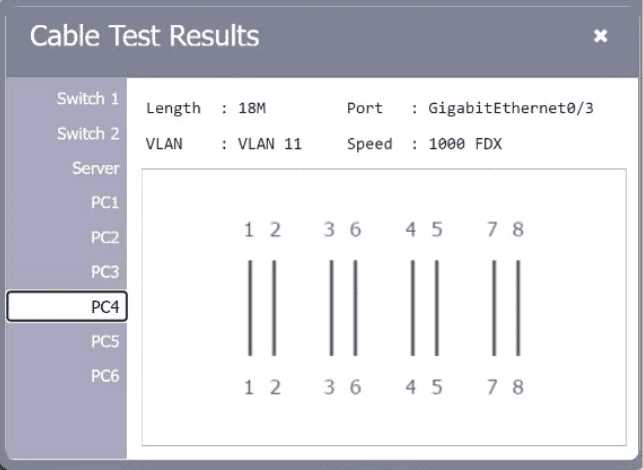
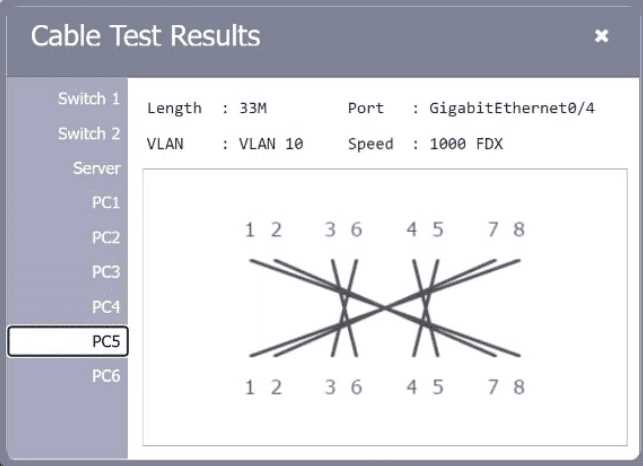
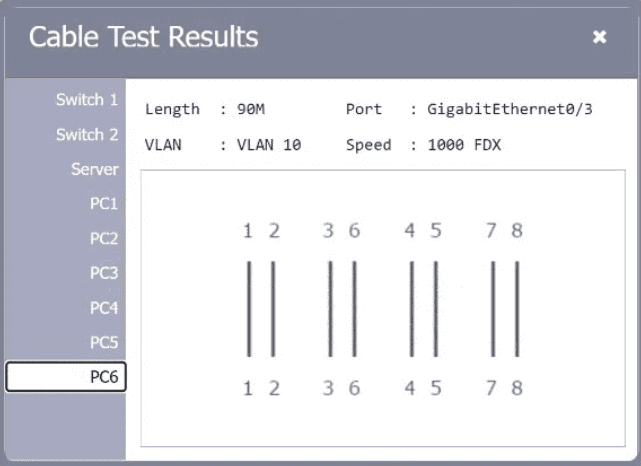
A network technician needs to resolve some issues with a customer's SOHO network. The
customer reports that some of the PCs are not connecting to the network, while others
appear to be working as intended.
INSTRUCTIONS
Troubleshoot all the network components.
Review the cable test results first, then diagnose by clicking on the appropriate PC,
server, and Layer 2 switch.
Identify any components with a problem and recommend a solution to correct each
problem.
If at any time you would like to bring back
the initial state of the simulation, please
click the Reset All button.
US
MO
Mason O.
2026-02-01
Also, I noticed the switch port configurations seem inconsistent; some ports might be disabled or set to wrong VLANs, which could prevent certain PCs from connecting even if cables are fine. Double-checking port status could help.
0
RI
Ravi I.
2026-01-23
Could be a bad patch cable or wrong switch port config causing no link.
0
RI
Ravi I.
2026-01-15
Looks like some cables show continuity issues in the test results—I'd start by replacing those faulty cables first. Also, checking the switch ports for errors or misconfigurations might explain why some PCs aren’t connecting. Anyone else think the problem might be with the switch or just the cabling?
0