Free CompTIA Network+ N10-009 Actual Exam Questions - Question 12 Discussion
SIMULATION SIMULATION You have been tasked with setting up a wireless network in an office. The network will consist of 3 Access Points and a single switch. The network must meet the following parameters: The SSIDs need to be configured as CorpNet with a key of S3cr3t! The wireless signals should not interfere with each other The subnet the Access Points and switch are on should only support 30 devices maximum The Access Points should be configured to only support TKIP clients at a maximum speed INSTRUCTONS Click on the wireless devices and review their information and adjust the settings of the access points to meet the given requirements. If at any time you would like to bring back the initial state of the simulation, please click the Reset All button. 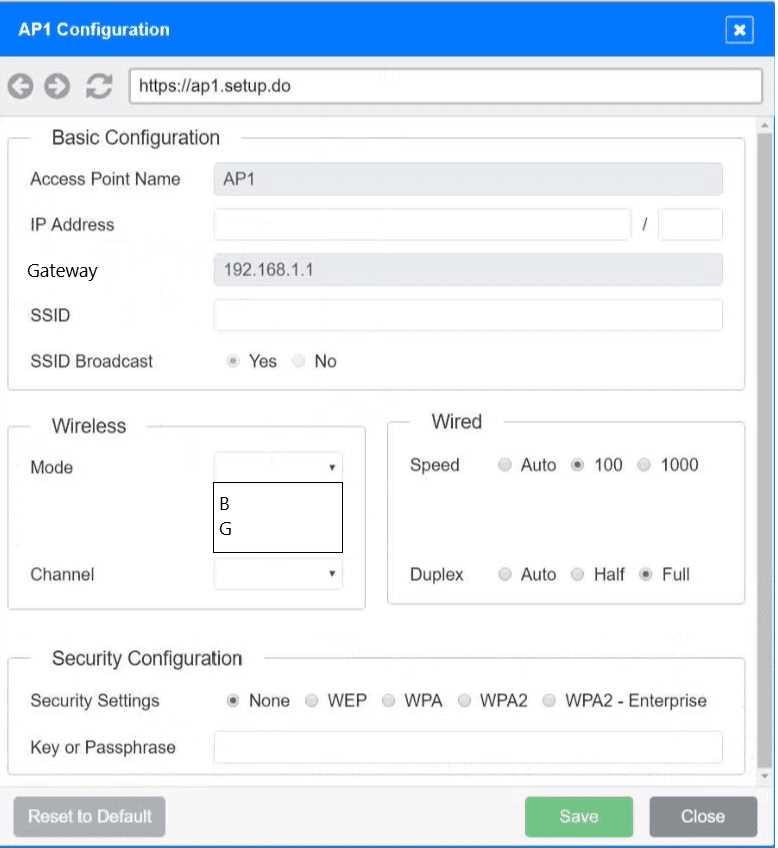
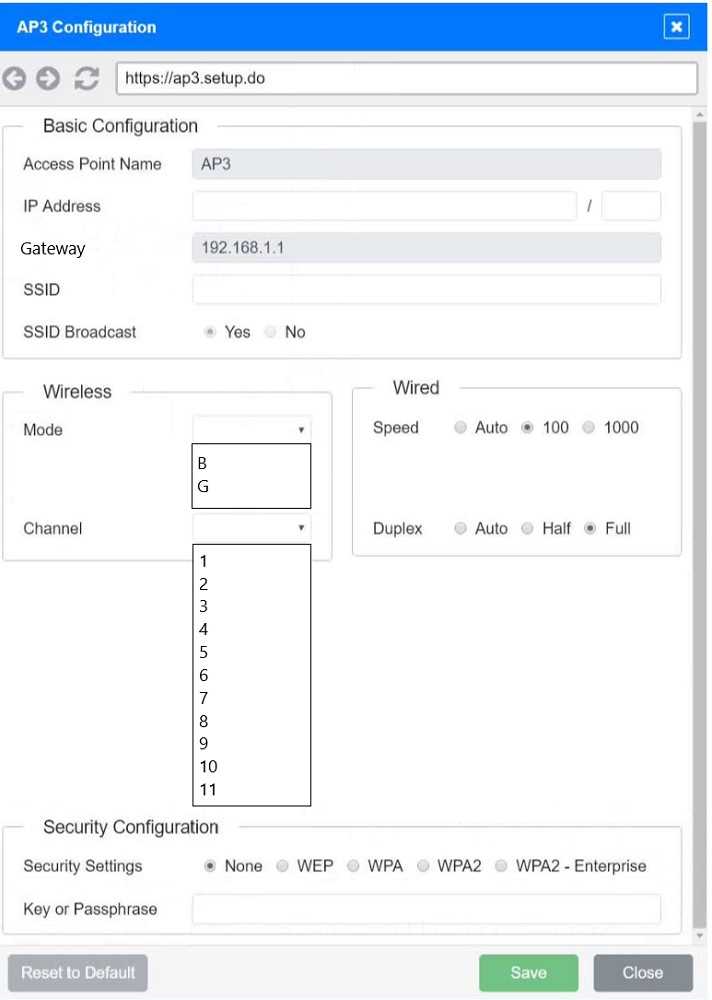
Also, make sure to set the subnet mask to something like 255.255.255.224 to cap devices at 30 or fewer; anything bigger won’t meet the requirement. For the channels, definitely pick non-overlapping ones like 1, 6, and 11 on the 2.4 GHz band to avoid interference. I’d triple-check the security settings too—some APs might allow mixed TKIP/AES by default, so forcing just TKIP is crucial here. The SSID and key need to be identical across all APs, otherwise devices won’t roam smoothly or connect reliably.
Good point on the subnet mask limiting devices. Also, double-check that the SSID and password match exactly on all APs—sometimes a typo there can cause connection issues. Channels 1, 6, and 11 definitely help avoid interference.
I agree with the channel setup being crucial here—1, 6, and 11 are the go-to for avoiding overlap on 2.4 GHz. Also, make sure the security mode is strictly TKIP only; some APs default to AES or mixed, which wouldn’t meet the specs. For the subnet, setting a mask like /27 (255.255.255.224) is a neat way to cap devices around 30, so double-check the switch and AP IP configs to confirm this is applied. Don’t forget to keep all SSIDs exactly as CorpNet with that specific key; sometimes a typo there can cause headaches later.
Setting all APs to channels 1, 6, and 11 should prevent interference since those don’t overlap. Also, configuring the subnet mask to something like 255.255.255.224 will limit devices to 30, matching the requirement.
Looks like the key points are setting all APs to SSID CorpNet with the same key S3cr3t!, limiting the subnet to support max 30 devices (so probably a /27 subnet), and setting each AP to use non-overlapping channels to avoid interference. Also, TKIP-only clients means WPA with TKIP encryption, so no AES. Does that sound right?