Free Microsoft SC-200 Security Operations Analyst Actual Exam Questions - Question 5 Discussion
DRAG DROP You are informed of a new common vulnerabilities and exposures (CVE) vulnerability that affects your environment. You need to use Microsoft Defender Security Center to request remediation from the team responsible for the affected systems if there is a documented active exploit available. Which three actions should you perform in sequence? To answer, move the appropriate actions from the list of actions to the answer area and arrange them in the correct order. 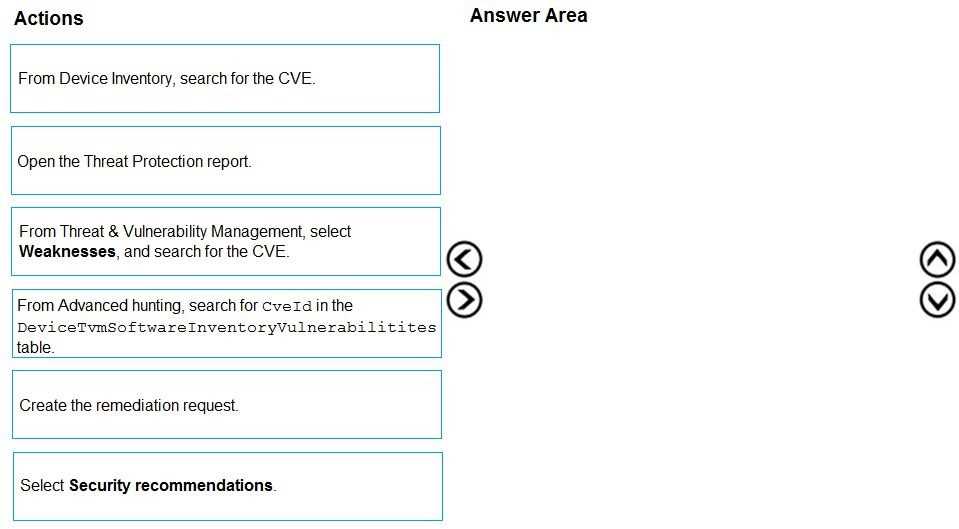
Checking for active exploits in Threat Analytics (D) first helps confirm if the vulnerability is being actively used. Then listing affected devices (B) before sending the remediation request (C) ensures the team knows exactly what to fix.
I think checking active exploit in Threat Analytics (D) first makes sense before listing devices (B) and sending request (C).
Start by checking the threat analytics for the active exploit status (D), then identify all affected devices (B), and finally submit the remediation request to the responsible team (C). This way, you confirm the threat before notifying.
I’d swap the middle step with pinpointing the exploit status first (D), then sending the remediation request (C), and only afterward listing affected devices (B). You want to alert the team ASAP once you confirm active threats.
I think the first move is to check if the exploit is active in Defender, so you’re not chasing false alarms (D). Then find all impacted systems (B) to know who to alert. Last, send the remediation request (C) to the right team.
I’d say start by checking the vulnerability’s exploit status in Defender, then find the impacted devices, and lastly send the remediation request. Without knowing affected systems, the team can’t act properly.
I’d start by confirming the active exploit status in Defender to avoid unnecessary work. Then I’d identify which systems are affected before sending the remediation request, since you need that info for the team.
First, check the CVE exploit status in Defender to confirm it’s active. Next, identify the affected systems for context. Finally, send the remediation request to the responsible team based on that info.
Does the question specify which version of Defender or any specific modules to use?