Home/dell/Free Dell EMC D-PVM-OE-01 Actual Exam Questions

Free Dell EMC D-PVM-OE-01 Actual Exam Questions

The questions for this exam were last updated on January 7, 2026

Dumps Box (DumpsBox) offers up-to-date practice exam questions for D-PVM-OE-01 certification exam which are developed and validated by DELL subject domain experts certified in Dell EMC D-PVM-OE-01 . These practice questions are update regularly as we keep an eye on any recent changes in D-PVM-OE-01 syllabus, and when there is update our team quickly adjusts the questions. This commitment to providing the best quality exam prep material to certification aspirants is what makes DumpsBox.com the best certification exam prep website. On top of that, our strong, yet strictly moderated, community based feedback keeps the content clean and current. Each question has helpful community discussion that provides it extra perspective and introduces helpful resources for better exam preparation. This also saves students from other outdated practice questions or illicit exam dumps that can have adverse affects on career. Browse through our Dell EMC D-PVM-OE-01 exam questions and pass your exam on first try.

Question No. 1
When setting Host I/O Limits on a Storage Group, what are the available dynamic I/O distribution
modes?
Select all that apply, then reveal solution.
Question No. 2
What are the two configuration rules that apply to SRDF groups and connections during Non-
Disruptive Migrations'?
Select all that apply, then reveal solution.
Question No. 3
A systems administrator plans to use Non-Disruptive Migration (NDM) to migrate data (rom a VMAX
array running Enginuity 5876 to a PowerMax running PowerMaxOS 5978
Which NDM mode is used?
Select one option, then reveal solution.
Question No. 4
What function does the storsrvd daemon support?
Select one option, then reveal solution.
Question No. 5Drag & Drop

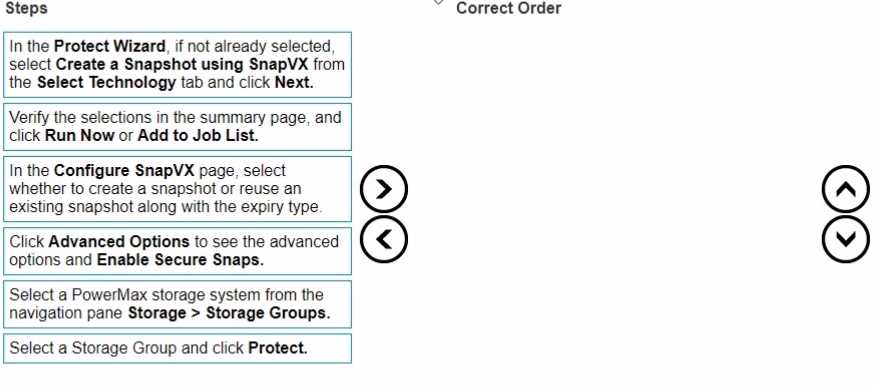
DRAG DROP Place the steps to create a snapshot in Unisphere for PowerMax in the correct order D-PVM-OE-01 practice exam questions
Options
AIn the Protect Wizard, if not already selected, select Create a Snapshot using SnapVX from the Select Technology tab and click Next.
BVerify the selections in the summary page, and click Run Now or Add to Job List.
CIn the Configure SnapVX page, select whether to create a snapshot or reuse an existing snapshot along with the expiry type.
DClick Advanced Options to see the advanced options and Enable Secure Snaps.
ESelect a PowerMax storage system from the navigation pane Storage > Storage Groups.
FSelect a Storage Group and click Protect.
Drag an item to a target. Click × to remove.
Answer Area
Bucket 1
Drop item here
Bucket 2
Drop item here
Bucket 3
Drop item here
Bucket 4
Drop item here
Bucket 5
Drop item here
Bucket 6
Drop item here
Question No. 6Drag & Drop

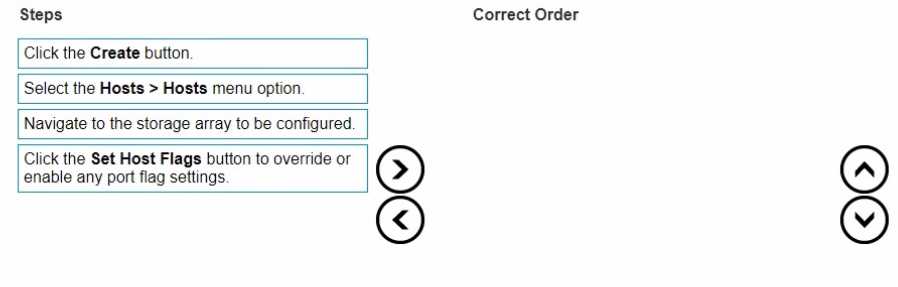
DRAG DROP Place the steps to set Host Flags using the Create Host wizard in the correct order Enlarged
Options
AClick the Create button.
BSelect the Hosts > Hosts menu option.
CNavigate to the storage array to be configured.
DClick the Set Host Flags button to override or enable any port flag settings.
Drag an item to a target. Click × to remove.
Answer Area
Bucket 1
Drop item here
Bucket 2
Drop item here
Bucket 3
Drop item here
Bucket 4
Drop item here
Question No. 7Drag & Drop

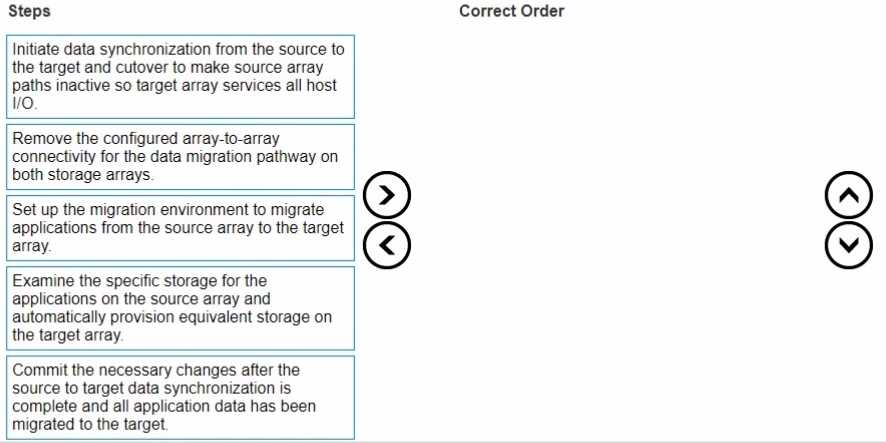
DRAG DROP Place the steps in the correct order for performing a Non-Disruptive Migration D-PVM-OE-01 practice exam questions
Options
AInitiate data synchronization from the source to the target and cutover to make source array paths inactive so target array services all host I/O.
BRemove the configured array-to-array connectivity for the data migration pathway on both storage arrays.
CSet up the migration environment to migrate applications from the source array to the target array.
DExamine the specific storage for the applications on the source array and automatically provision equivalent storage on the target array.
ECommit the necessary changes after the source to target data synchronization is complete and all application data has been migrated to the target.
Drag an item to a target. Click × to remove.
Answer Area
Bucket 1
Drop item here
Bucket 2
Drop item here
Bucket 3
Drop item here
Bucket 4
Drop item here
Bucket 5
Drop item here
Question No. 8

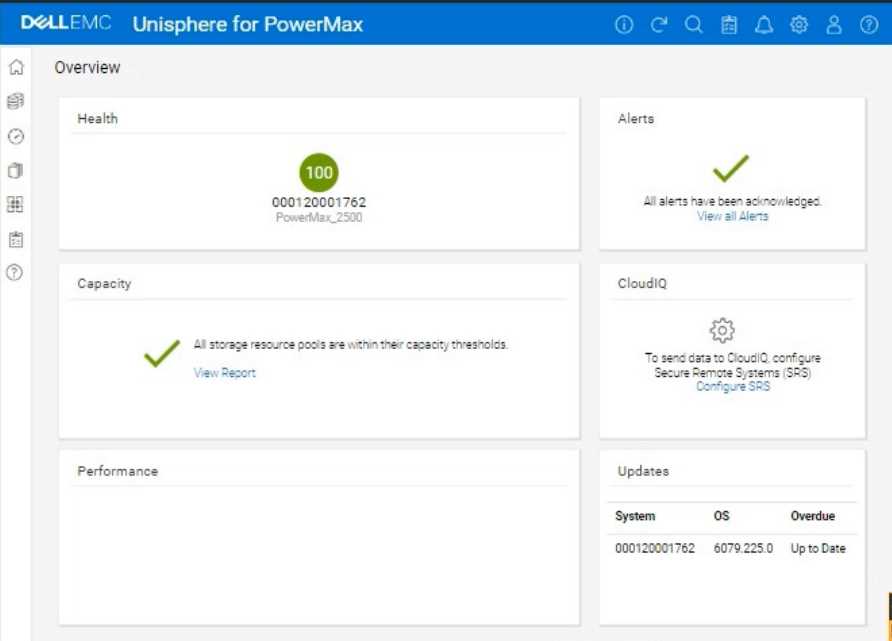
SIMULATION A company is setting up a multi-tenant environment where multiple departments share the same storage array with SID 1762. The IT department requires 2 TB of storage to be available on the ESXi1 host. Use "ESXi1_SG" for the storage group name, create a port group with Dir- Ports "OR-1C:0 and OR-2C:0," and leave all other settings at their default. img0 Using the simulator, provision the storage required with a single volume using auto-provisioning groups.
Question No. 9

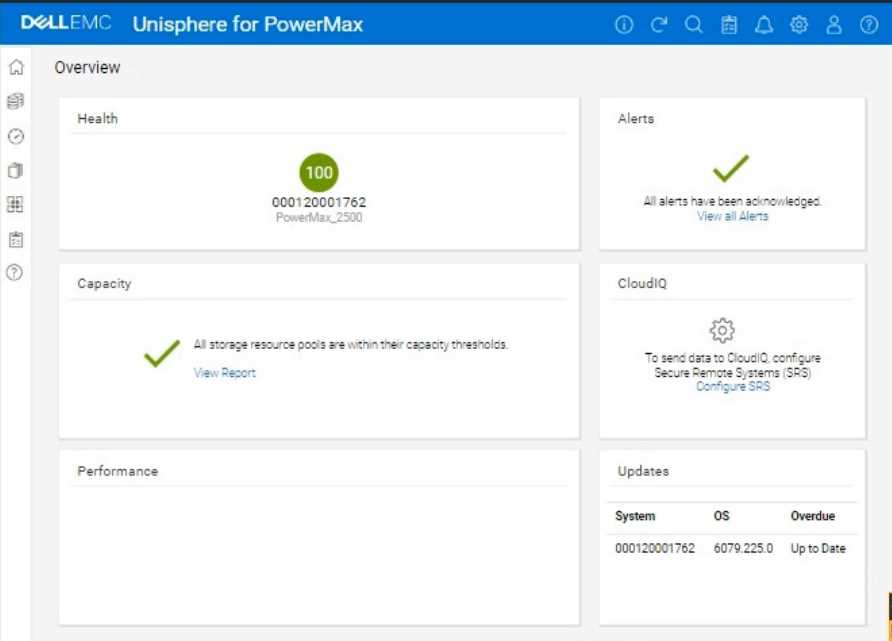
SIMULATION A customer has an existing host with two 100 GB volumes that are assigned from existing PowerMax storage. They would like to add three additional volumes of 100 GB each and change the service level that is assigned to the storage group from Gold to Platinum to support the current application SLO requirements. Enlarged
Question No. 10

SIMULATION The web application server web_host_1 is deprecated. Remove all resources associated with the host to clean up the environment. img0 Using the simulator, complete the task.